Biometric vs. Mobile Geofencing Attendance: What Works Best for Deskless Workforces?
Compare hardware biometrics and mobile attendance for field workers. Stop buddy punching in construction, logistics, and retail with smart geofencing.
Biometric vs. Mobile Geofencing Attendance: What Works Best for Deskless Workforces?
Managing attendance for a distributed, deskless workforce is one of the most frustrating operational hurdles in logistics, construction, field services, and retail. When your employees do not report to a central corporate office with badge readers, verifying who is on site—and when—becomes an operational liability.
Traditional approaches rely on fixed physical timeclocks or manual paper sign-in sheets. Yet operations leaders continuously battle manual punch errors, time theft, and hardware downtime. As organizations scale across multiple worksites and jurisdictions, modern software offers an alternative: mobile attendance for field workers powered by GPS geofencing, dynamic QR codes, and AI facial recognition.
To help operations and HR leaders make the right infrastructure choice, HR Suite by Smart Chain has broken down the practical trade-offs between physical biometric terminals and mobile geofencing attendance systems.
The Deskless Workforce Reality: Buddy Punching, Time Theft, and Hardware Failures
For deskless industries, workforce scheduling and labor costs directly determine gross margins. According to research from the American Payroll Association, buddy punching—the practice of one employee clocking in for an absent or tardy colleague—affects up to 75% of businesses that rely on unverified or paper-based time tracking. Over a fiscal year, minor payroll slippages of 10 to 15 minutes per worker compound into hundreds of thousands of dollars in unworked labor paid.
In field operations, standard monitoring fails for distinct reasons:
- Dynamic job sites: Construction zones, pipeline maintenance paths, and infrastructure projects shift physical locations every few weeks or months.
- Environmental hostility: Fixed biometric hardware installed outdoors suffers from sensor degradation caused by dust, humidity, extreme heat, and grease.
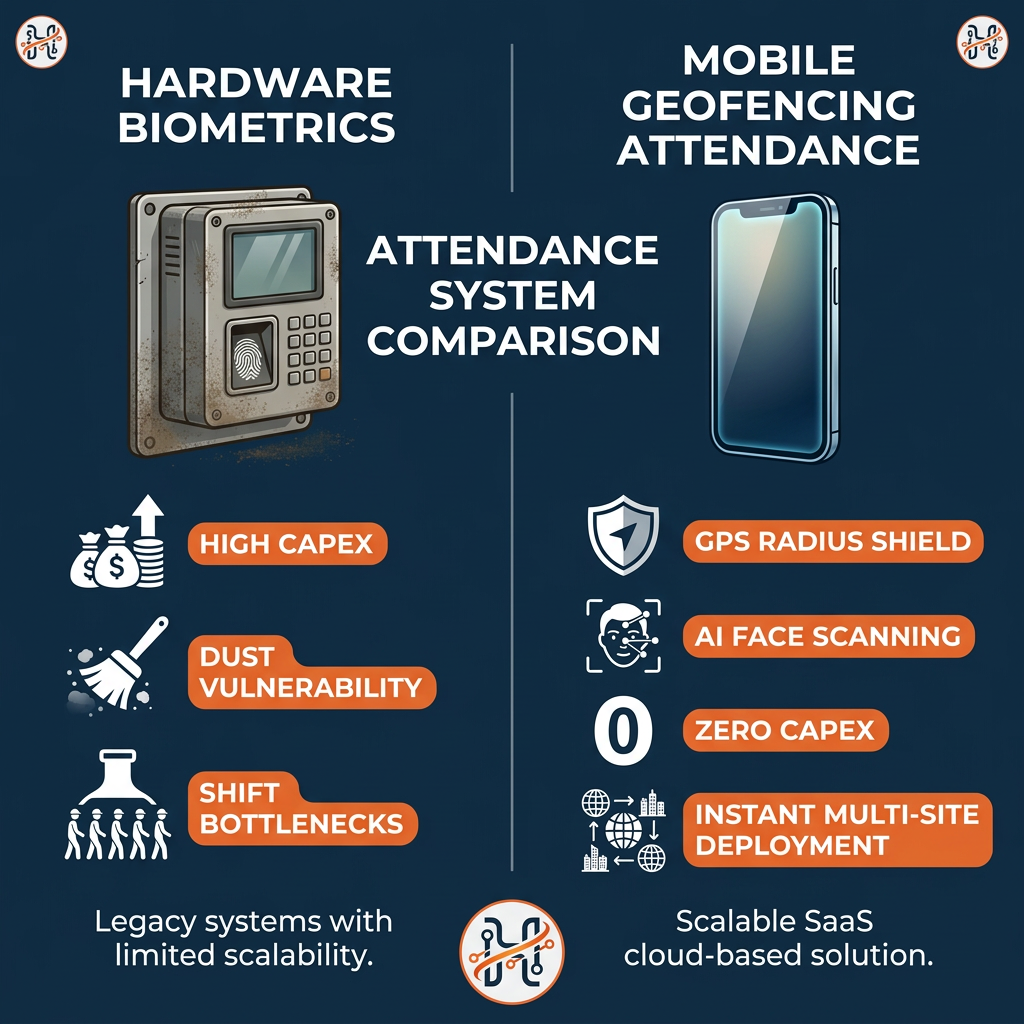
- Congestion at shift transitions: When 200 workers finish a shift simultaneously at a distribution center, a single fingerprint scanner creates bottlenecks, resulting in delayed departures and paid idle time.
Solving these issues requires an attendance infrastructure that balances rock-solid verification with zero operational friction.
Hardware Biometrics: Traditional Control Meets Physical Constraints
Hardware biometrics—primarily wall-mounted optical fingerprint scanners and fixed iris or facial recognition terminals—have long been the default standard for industrial facilities.
The Operational Advantages
- Definitive Identity Verification: Fingerprints and physical facial structure cannot be passed to a coworker, largely eliminating traditional buddy punching at static access points.
- Network Independence: Many enterprise biometric wall terminals can store access templates locally on the machine, continuing to capture punch logs even during temporary internet outages.
The Practical Bottlenecks
- High Capital and Maintenance Expenditures: Outfitting 15 remote warehouses or 30 retail branches with specialized hardware requires substantial upfront capital, along with ongoing cabling, IT support, and routine sensor replacements.
- Environmental Vulnerability: In construction, manufacturing, and agricultural environments, workers' hands are frequently calloused, dirty, wet, or gloved. Optical fingerprint sensors routinely produce false rejects, frustrating employees and flooding site supervisors with manual override requests.
- Inflexibility for Mobile Staff: Delivery drivers, roaming security patrols, field service technicians, and temporary pop-up retail teams cannot return to a wall-mounted reader at the start and end of every shift.
Mobile Attendance for Field Workers: How Geofencing and Face Recognition Reshape Operations
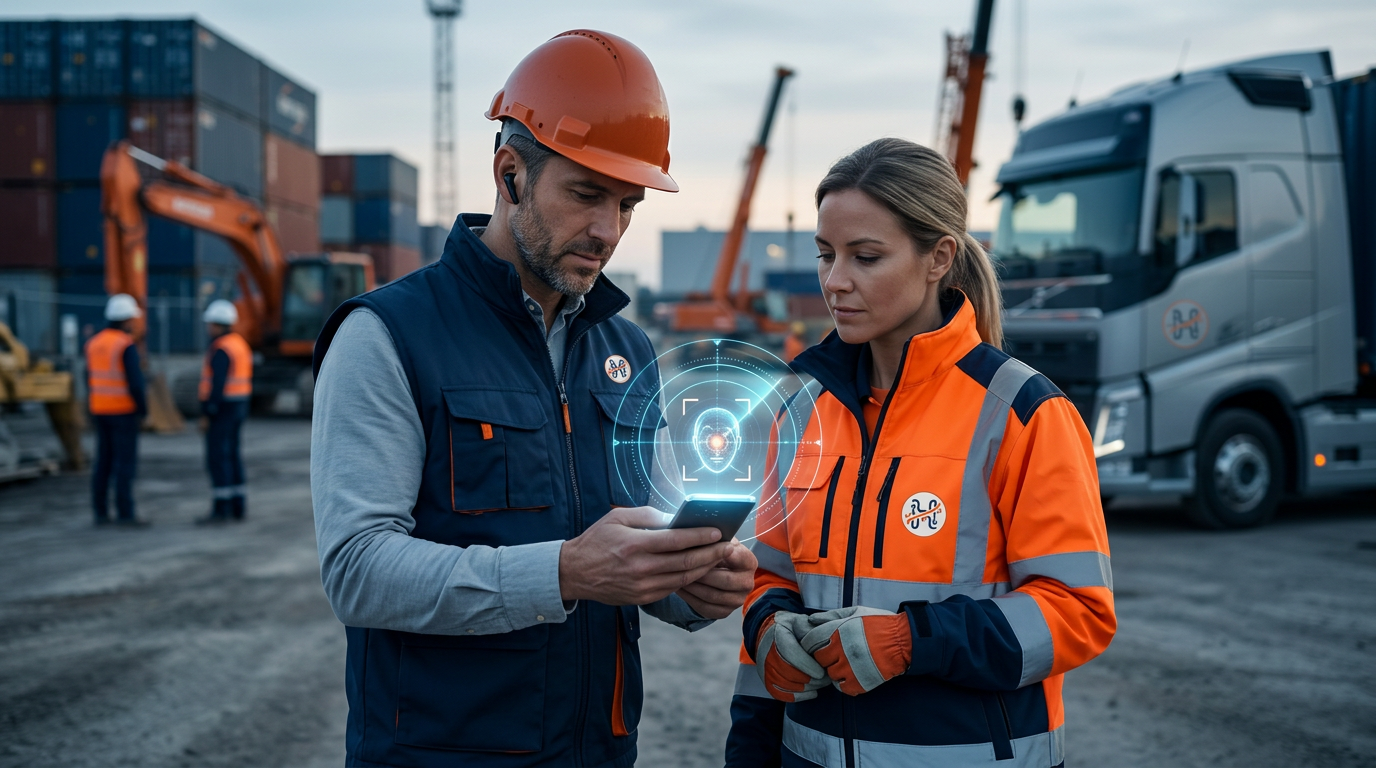
Cloud-based mobile attendance for field workers eliminates physical hardware by turning the employee's smartphone—or a supervisor's tablet—into an intelligent time capture terminal. Modern platforms combine location intelligence with identity verification to prevent fraud without requiring heavy on-site machinery.
1. GPS Geofencing Boundaries
Operations managers define a virtual perimeter around a designated job site, warehouse, or retail store using latitude, longitude, and an authorized radius (e.g., 50 meters). The employee can only register a clock-in or clock-out event when their device's verified GPS coordinates sit inside that active perimeter.
2. AI Facial Recognition and Anti-Spoofing
To prevent workers from sharing mobile credentials, top-tier platforms integrate facial recognition directly into the mobile clock-in flow. When the worker taps "Clock In," the front camera captures a real-time verification photo. Embedded AI verifies facial landmarks against the employee's registered profile within seconds. Anti-spoofing algorithms detect whether the camera is viewing a live human or a static photograph held up to the lens.
3. Dynamic QR Code Stations
For worksites with spotty individual GPS signals (such as underground basements or dense urban retail units), companies can display a dynamic QR code on an on-site manager tablet or laminated station. Field employees scan the code via their self-service workspace to clock in, verifying physical presence instantly.
Head-to-Head Comparison: Hardware Biometrics vs. Geofenced Mobile Attendance
| Operational Factor | Fixed Biometric Hardware | Mobile Geofencing & Face Recognition |
|---|---|---|
| Upfront Capital Cost (CapEx) | High (terminals, mounts, cabling, installation) | Zero hardware purchase (BYOD or supervisor device) |
| Deployment Speed | Weeks to months across distributed locations | Instantaneous via cloud configuration |
| Suitability for Field Staff | Poor (static location only) | Native (ideal for delivery, field sales, construction) |
| Environmental Durability | Susceptible to dust, heat, moisture, wear | Handled by commercial smartphone hardware |
| Anti-Fraud Security | Extremely high at the physical device | Extremely high (GPS perimeter + live facial match) |
| Maintenance & Upgrades | On-site technician visits required | Continuous automated cloud updates |
| Shift-Change Bottlenecks | High (one-by-one queue at terminal) | Low (workers clock in simultaneously on own devices) |
Operational Use Cases: Which Method Fits Your Industry?
1. Construction and Field Engineering
The Challenge: Job sites evolve continuously. Running network cables to a concrete pour site or road construction zone is cost-prohibitive.
The Recommendation: Geofenced mobile attendance. Supervisors set dynamic perimeters that move as the project progresses. Facial verification guarantees that subcontractors and day laborers are on-site without fingerprint failures caused by dusty hands.
2. Fleet Logistics and Delivery Operations
The Challenge: Drivers and couriers start their shifts at distribution centers but spend their working hours on the road, often finishing shifts at client hubs or secondary depots.
The Recommendation: Mobile attendance with location tracking. Couriers clock in inside the terminal yard, track route checkpoints, and clock out at their final destination, providing dispatchers with verifiable shift timelines.
3. Multi-Branch Retail and Quick-Service Restaurants (QSR)
The Challenge: High turnover, small footprint stores, and tight staffing margins. Purchasing a $1,200 biometric terminal for a store with four employees destroys operational unit economics.
The Recommendation: A centralized tablet kiosk running facial recognition or individual mobile clock-ins with geofencing. New hires are onboarded immediately without configuring local hardware keys.
Building an Integrated Workforce Strategy with HR Suite
Deploying time tracking in isolation solves only half the problem. If attendance logs live in a siloed reader, HR and payroll teams must manually export CSV files, cross-reference shift rosters, calculate overtime rules, and manually flag discrepancies before running payroll.
HR Suite by Smart Chain connects attendance capture directly into a unified workforce management engine:
- Multi-Modal Attendance Flexibility: HR Suite natively supports GPS geofenced mobile check-ins, facial recognition, dynamic QR codes, web clock-ins, and direct integrations with existing legacy biometric hardware.
- Automated Overtime and Exception Flagging: Late arrivals, early departures, and unauthorized overtime are surfaced instantly to site managers via the visual Company Health Monitor.
- Direct Payroll Synchronization: Validated attendance hours flow seamlessly into payroll processing, automatically calculating allowances, deductions, and statutory compliance (such as UAE WPS SIF generation) without manual data entry.
- Complete Employee Lifecycle: From clock-in to leave tracking, document expiries, and performance reviews, your deskless team accesses everything within a single self-service workspace.
For enterprise organizations with legacy biometric hardware already installed at primary manufacturing plants, HR Suite allows you to keep those devices while rolling out mobile geofencing to your logistics drivers and remote maintenance teams—unifying all records in one dashboard.
Summary: Making the Operational Call
Fixed hardware biometrics still hold value in access-controlled corporate headquarters or high-security manufacturing plants where foot traffic is predictable and physical turnstiles already exist.
However, for organizations running deskless, dynamic, or multi-location teams, mobile attendance for field workers delivers superior agility, lower total cost of ownership, and total protection against time theft. By combining smartphone ubiquity with AI facial matching and GPS geofencing, operations managers can protect company margins while providing workers with a modern, frictionless clock-in experience.
Ready to eliminate buddy punching and simplify shift tracking across your entire workforce? Explore our comprehensive platform features or check our scalable pricing plans.
Experience the platform firsthand—start your 14-day free trial of HR Suite today.
Upgrade your deskless workforce operations today. Start your 14-day free trial of HR Suite and experience automated, tamper-proof attendance tracking across all your worksites.
Frequently asked questions
Can workers trick GPS geofencing using location-spoofing apps?
Modern workforce platforms like HR Suite incorporate anti-spoofing security. The application cross-references network cell tower signals, Wi-Fi SSIDs, and operating system mock-location flags to detect and reject fake GPS coordinates.
What happens if a field worker does not have an active internet connection?
HR Suite's mobile attendance can record attendance timestamps and biometric capture offline. Once the device reconnects to cellular data or Wi-Fi, the cryptographically verified log synchronizes with the central cloud database.
Does mobile facial recognition violate worker privacy?
No. Modern systems convert live camera snapshots into encrypted mathematical vector templates rather than storing or selling raw images. Clock-in photos are used solely to verify identity against an authorized employee profile.
Can HR Suite integrate with our existing wall-mounted biometric scanners?
Yes. HR Suite supports hybrid setups. You can maintain physical biometric readers at permanent factories or headquarters while deploying mobile geofencing and facial recognition to your mobile, field, or retail workforce.