HR Document Management: Secure Employee Records, Expiry Alerts and Digital Signatures
Streamline HR document management with automated expiry alerts, secure employee records, and digital signatures. Protect compliance with HR Suite.
HR Document Management: Secure Employee Records, Expiry Alerts and Digital Signatures
Managing a modern workforce requires handling vast quantities of sensitive documentation. From signed employment contracts and non-disclosure agreements to national identity cards, passports, visas, and certifications, HR teams often juggle hundreds of files per employee. When records live across physical filing cabinets, local desktop folders, and fragmented cloud storage drives, administrative blind spots inevitably emerge.
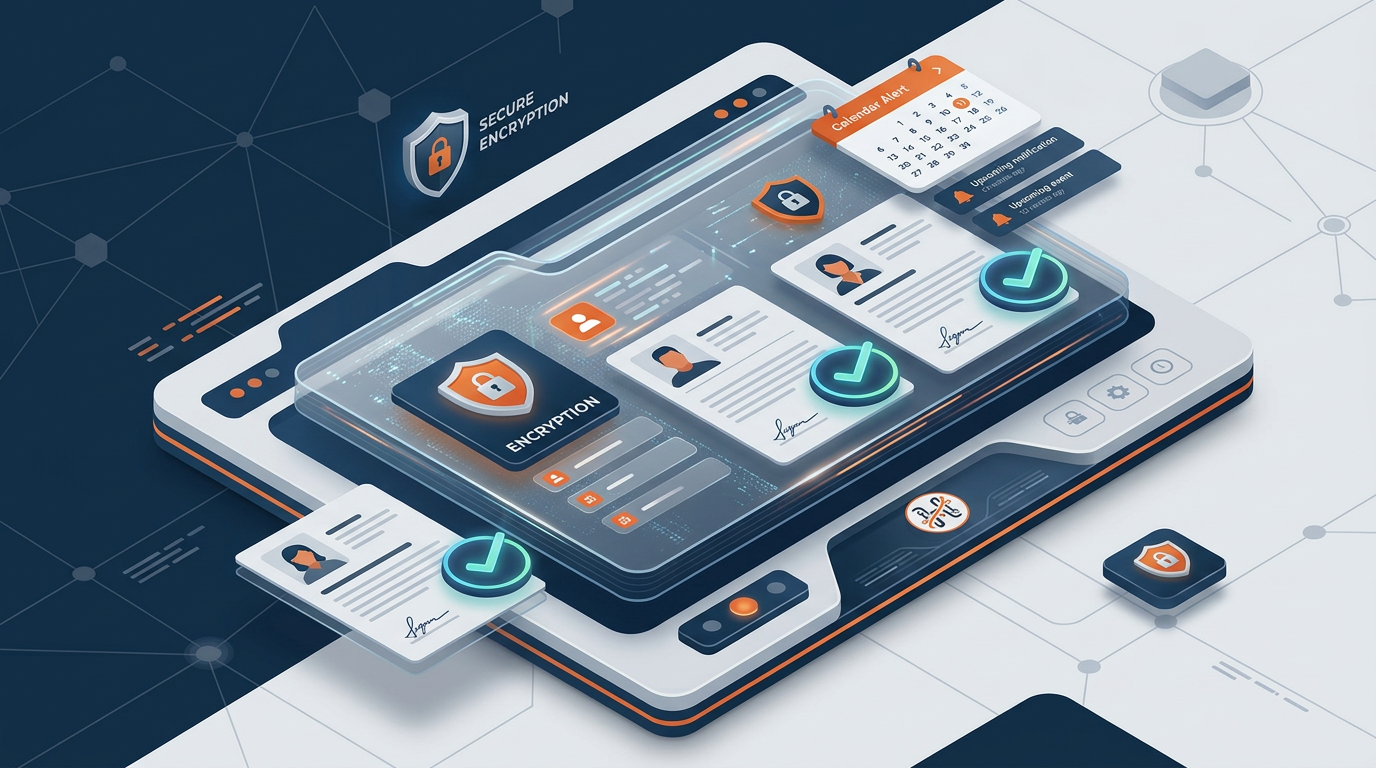
A single expired visa or overlooked contract renewal can result in severe legal penalties, work stoppages, and compliance breaches. Modern organizations need a unified, intelligent approach to manage records across the complete employee lifecycle. An effective HR document management system replaces manual administrative friction with centralized security, automated lifecycle alerts, and compliant digital signature workflows.
Here is how modern organizations are modernizing their recordkeeping with HR Suite by Smart Chain, eliminating administrative chaos and staying compliant across multiple jurisdictions.
The Operational Cost of Disconnected Employee Records
Many expanding companies still rely on decentralized file storage and spreadsheet-based tracking. While this may seem manageable for a team of 20, scaling past 50 or operating across multiple regional entities exposes structural vulnerabilities:
- Compliance Exposure: Missing or expired right-to-work documents, trade licenses, or labor cards can incur heavy statutory fines from labor ministries.
- Data Fragmentation: When onboarding forms live in an email thread, contracts sit in a cloud drive, and medical records are locked in a physical cabinet, finding critical documents during audits becomes an operational bottleneck.
- Security and Privacy Vulnerabilities: Unrestricted shared folders lack granular role-based access control (RBAC), leaving personal identifiable information (PII) vulnerable to unauthorized internal access or accidental exposure under frameworks like GDPR.
- Manual Bottlenecks: Chasing down signatures, re-typing data from scanned PDFs, and manually calculating upcoming expiry dates drains hours from strategic People Operations.
To eliminate these risks, businesses are transitioning to centralized HR management software that automates the lifecycle of every employee document.
Core Pillars of Modern HR Document Management
An enterprise-grade document solution is more than a passive digital file repository. It actively connects files to employee records, organizational workflows, and regulatory timelines.
1. Centralized, Role-Based Employee Repositories
Every employee profile should feature a structured, digital personnel file. Documents are categorized by type—such as Identification, Contracts, Certifications, Performance, and Offboarding records.
Modern platforms apply granular permissions, ensuring that line managers, departmental leaders, and HR administrators only access the specific documents required for their operational scope. Employees can view their own non-confidential files while sensitive management notes remain protected.
2. Automated Expiry Tracking and Multi-Tier Alerts
In regions with large expatriate workforces, such as the UAE, Saudi Arabia, and broader GCC, monitoring visa, passport, and work permit validity is mission-critical. Manual calendar reminders fail when managing shifts, international travel, or multi-branch operations.
With automated expiry monitoring:
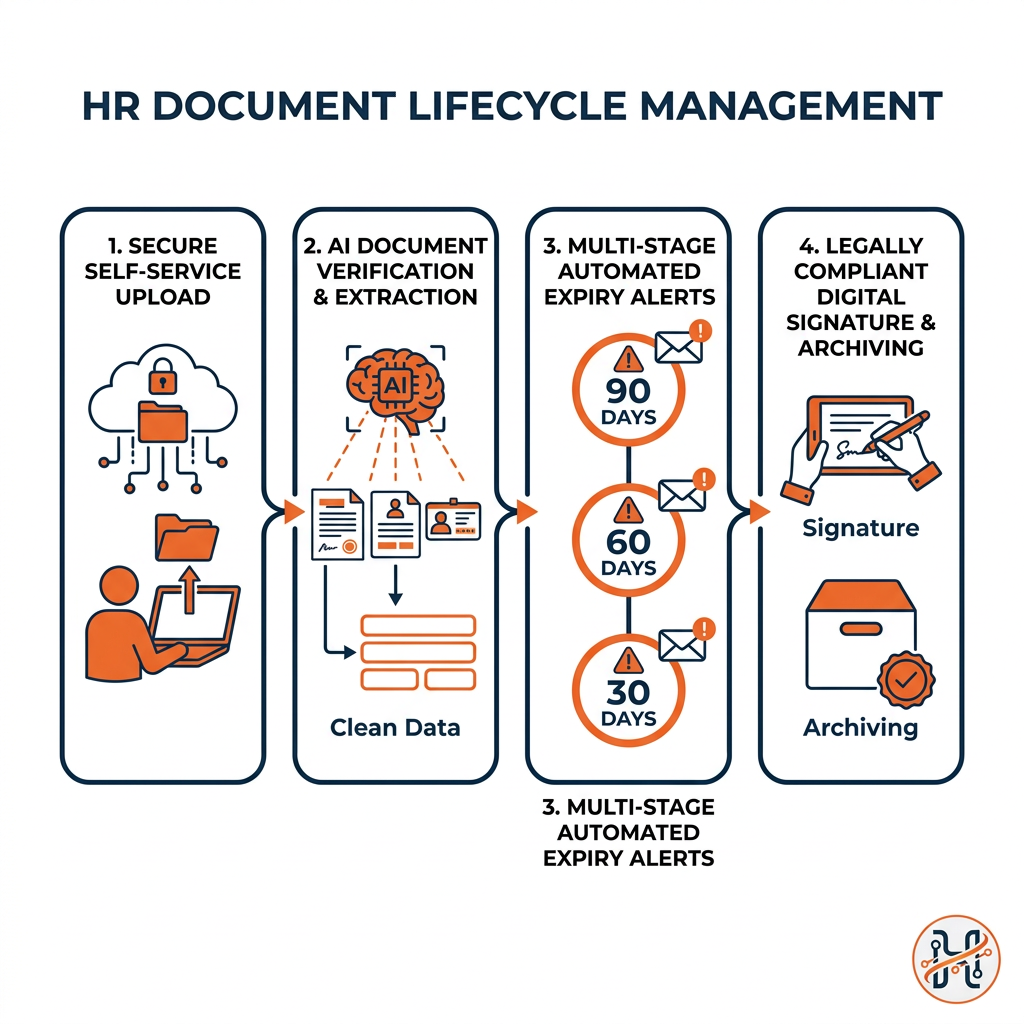
- Custom alert cadences trigger notifications 90, 60, 30, and 7 days prior to document expiration.
- Alerts are routed directly to both the employee and responsible HR personnel.
- Dashboards categorize renewal statuses visually (Healthy, Attention Needed, Critical), giving leadership real-time visibility into operational compliance.
3. Native E-Signatures and Dynamic PDF Generation
Printing, signing, scanning, and re-uploading documents creates unnecessary friction in candidate onboarding and contract adjustments. Integrated digital signatures allow HR departments to send offer letters, company policies, and NDAs directly through the system.
Coupled with dynamic template engines, HR teams can generate standardized letters—such as salary certificates, bank letters, and promotion notices—in seconds. The software pulls verified employee data directly from the system into pre-approved PDF layouts, eliminating manual drafting errors.
4. Employee Self-Service Uploads and Verification
Document collection should not require endless back-and-forth email exchanges. Through an intuitive employee self-service portal, staff members can upload renewed identity cards, academic credentials, and driving licenses directly from their mobile device or desktop. HR administrators review and approve submissions through a centralized verification queue before the system updates the live employee record.
Manual Tracking vs. Intelligent HR Document Management
| Capability | Manual / Spreadsheet Storage | Centralized HR Document Management |
|---|---|---|
| Document Access | Dispersed across folders, desktops, and inboxes | Unified single source of truth per employee record |
| Expiry Monitoring | Manual spreadsheet checks prone to human error | Automated, multi-stage notifications for visas and IDs |
| Signature Collection | Print-sign-scan cycles or third-party paid tools | Integrated digital signatures tied to the audit trail |
| Document Generation | Copy-pasting data into Word documents | Automated PDF letter generation with dynamic variables |
| Security & Privacy | Loose link permissions and unencrypted attachments | Granular role-based access control and bank-grade encryption |
| Employee Updates | HR manually requests and files attachments | Self-service uploads with built-in HR approval workflows |
Elevating Efficiency with AI-Assisted Document Workflows
Leading HR technology integrates artificial intelligence directly into administrative operations. Rather than treating records as static image files, AI document intelligence turns unstructured data into actionable inputs.
- AI Document Extraction: High-volume organizations use optical character recognition (OCR) and embedded AI to scan uploaded national IDs and passports, automatically extracting names, document numbers, and expiration dates to populate the system database.
- AI Letter Drafting: Drafting bespoke HR correspondence can be automated using generative models trained on corporate tone. From formal reprimands to customized reference letters, HR administrators can generate tailored documentation in seconds while retaining complete editorial oversight.
- Audit Trail Verification: Embedded tracking logs every document view, download, signature, and update. This tamper-evident audit history ensures full compliance with international standards such as ISO/IEC 27001 and local data governance laws.
Organizations evaluating digital transformation can examine how unified platforms optimize administrative workflows on our pricing and deployment page.
Best Practices for Rolling Out a Digital Document Strategy
Transitioning from legacy filing systems to modern software requires a structured implementation plan. Follow these practical steps:
- Standardize Document Taxonomies: Define consistent document naming conventions and categorization schemes across all company entities.
- Audit and Purge Legacy Files: Before migrating data, review existing records. Securely archive or destroy files that fall outside regulatory retention requirements defined by organizations like SHRM.
- Set Thresholds for Critical Expiries: Establish defined escalation protocols for critical documents (e.g., medical licenses, commercial driver permits, working visas) so departmental heads are alerted if an employee is approaching an invalid status.
- Enable Employee Self-Service Early: Train employees to maintain their own credentials and review their files directly in the self-service workspace. Reducing routine inquiries frees HR to focus on talent development and organizational performance.
Take Control of Your Employee Records with HR Suite
Fragmented records and manual document tracking expose businesses to avoidable legal risks and administrative costs. Moving to an integrated, AI-native platform transforms employee documentation into a streamlined, automated, and secure operational asset.
HR Suite brings employee records, automated visa and passport expiry tracking, digital signatures, dynamic PDF generation, and multi-country compliance into a unified ecosystem. Whether managing a single office or a distributed deskless workforce across several countries, your team gains total visibility and control.
Ready to eliminate paperwork and automate recordkeeping? Start your 14-day free trial of HR Suite today.
Streamline your workforce documentation, eliminate manual expiry tracking, and protect regulatory compliance. Start your 14-day free trial of HR Suite today.
Frequently asked questions
What is an HR document management system?
An HR document management system is a secure software module designed to centralize, track, and protect employee records throughout their employment lifecycle. It automates file storage, tracks document expiry dates (such as visas and passports), enables digital signature workflows, and facilitates self-service document uploads.
How do automated expiry alerts work for employee documents?
When an employee record is uploaded with an expiration date (such as a residency visa, passport, or professional license), the software monitors that date against automated triggers (e.g., 90, 60, and 30 days prior). Email and dashboard notifications are automatically dispatched to both the employee and the HR team, ensuring timely renewals.
Are digital signatures legally valid for HR contracts?
Yes, digital signatures generated through compliant HR platforms are recognized across many jurisdictions, provided they capture an audit trail consisting of the signer's identity, IP address, timestamp, and document hash.
Can employees upload their own updated identification documents?
Yes. HR Suite features an employee self-service workspace where staff can upload newly issued documents (like an updated passport or renewed driver's license) from mobile or desktop devices. HR administrators then review and approve the upload before the primary record is updated.